Compatibility
AWS Transform for mainframe refactor provides a Compatibility module that analyzes your legacy codebase to identify potential issues at both transformation and runtime levels. The compatibility of a legacy codebase is shaped by two complementary factors: the quality of the legacy inputs themselves (completeness, encoding, ...) and the level of support provided by our tools for the specific constructs, dialects, and patterns present in that codebase. By examining both dimensions before the modernization process begins, the Compatibility module helps you to consolidate your inputs and quantify the efforts and challenges (transformation and runtime gaps - unsupported options, utilities, parsing errors, integration...). In addition, by surfacing which modules present the fewest compatibility findings, it supports more accurate project scoping — enabling teams to prioritize the most migration-ready components.
This analysis requires prior completion of dependencies and classification analysis before it can examine and properly evaluate your codebase. It is recommended to enable the AI booster to get even more results from the analysis.
How to use
- Navigate to the "Compatibility" tab in Assets.
- Before running the analysis, you must complete:
- Classification analysis
- We recommend running the classification on all files to use the power of the classification engine. For further details, see Classification documentation.
- Dependencies analysis
- Classification analysis
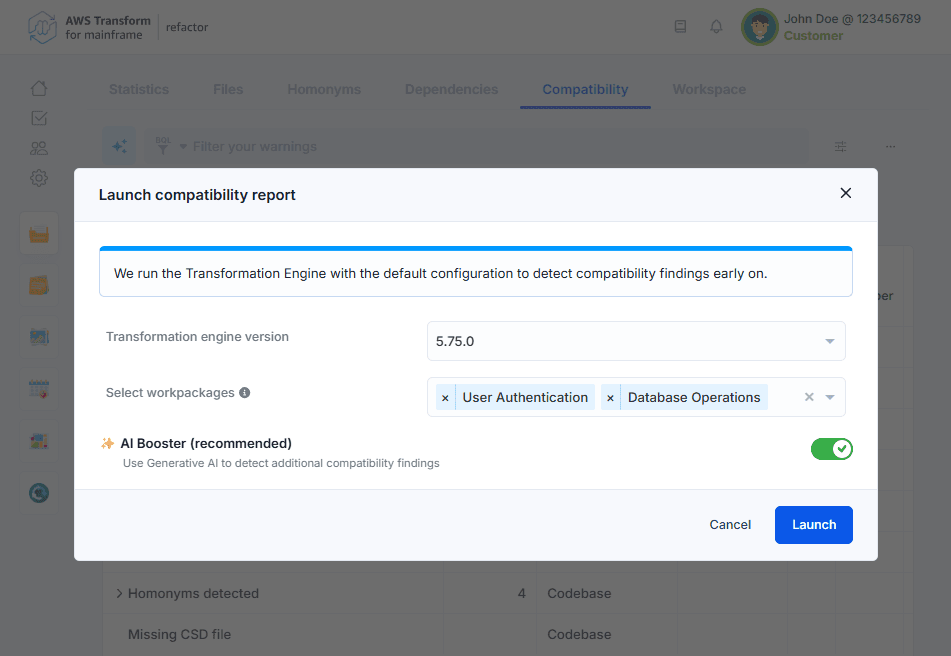
- Choose the "Analyze" button to open the launch dialog.
- Select the Transformation Engine version to use. The analysis runs the Transformation Engine to detect potential transformation errors early on.
- Select the scope of the analysis:
- All files: Leave empty to analyze the entire codebase. This option is required for the first compatibility analysis run.
- By workpackage: Select one or more specific workpackages to analyze. This option is only available after an initial analysis has been completed on the entire codebase. It allows you to focus subsequent analyses on a subset of your codebase.
- Recommended: enable AI Booster to use Generative AI for detecting additional findings in your codebase.
- Click "Launch" to start the analysis.
You will receive an email notification when the results are available.
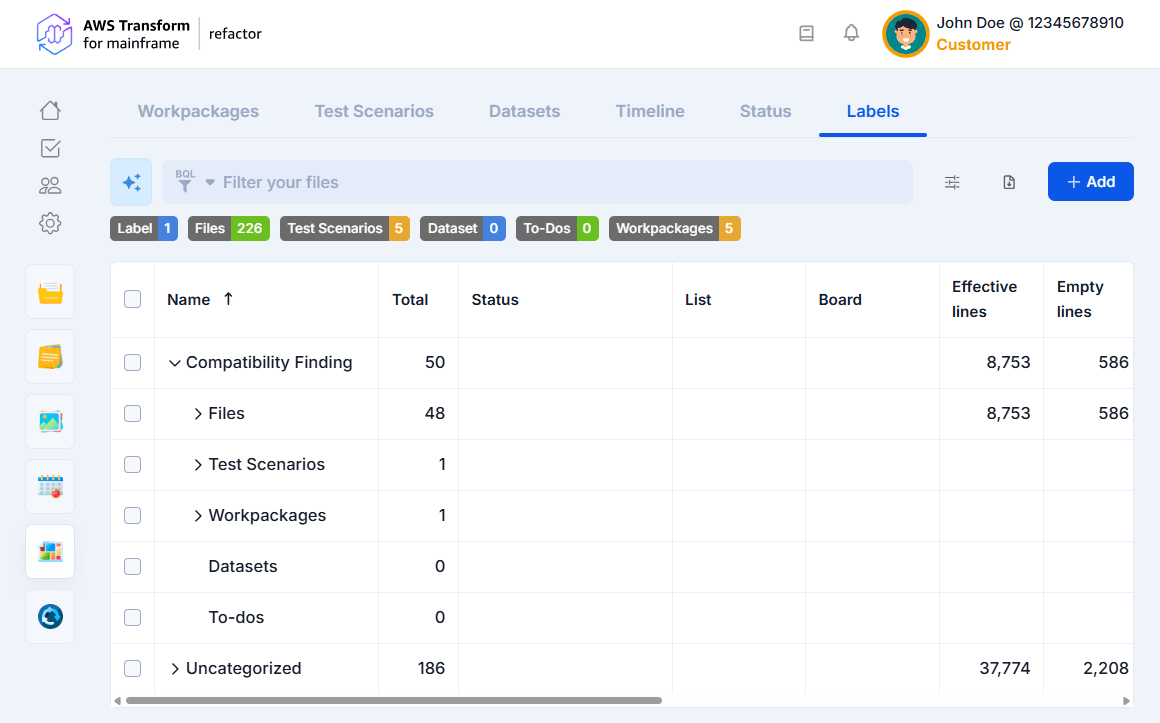
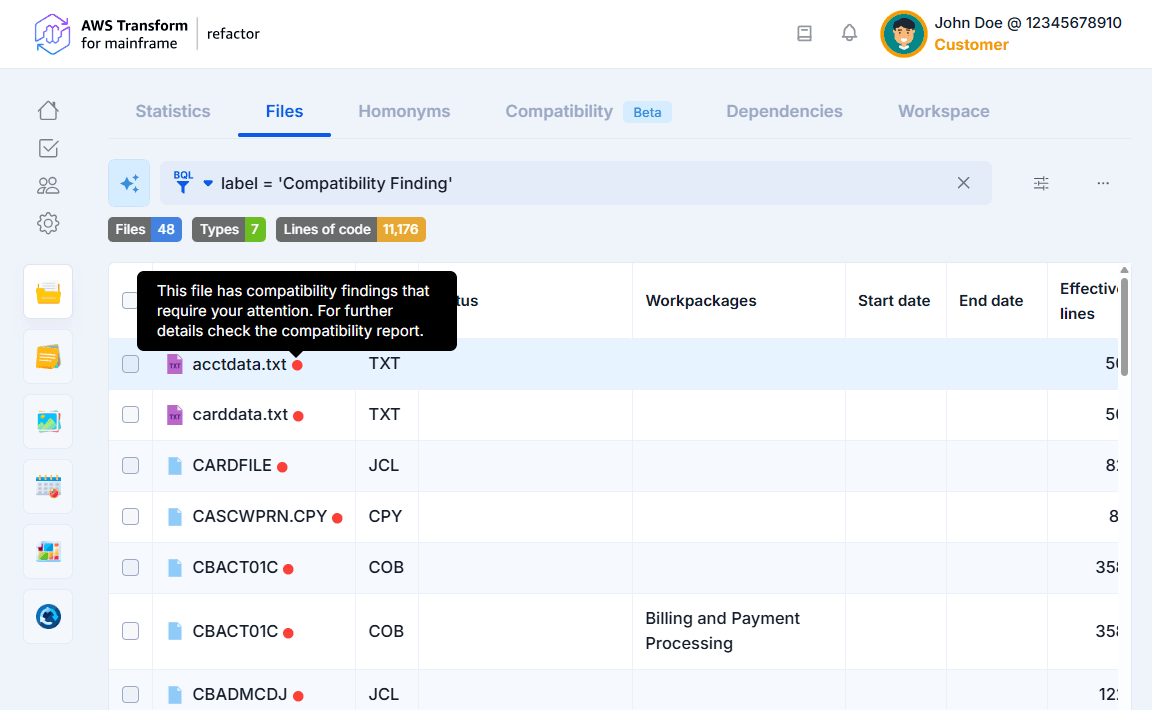
When the analysis detects findings, a label named "Compatibility Finding" is automatically created. This label is assigned to all files, workpackages and test scenarios with detected findings, making it easy to filter and track impacted files.
Results view
The analysis results are displayed in a tree-grid format showing:
- Finding name and total occurrences count
- Affected files path
- Line numbers where findings are detected
- Description of the finding impact and details
- Recommended actions to correct the finding
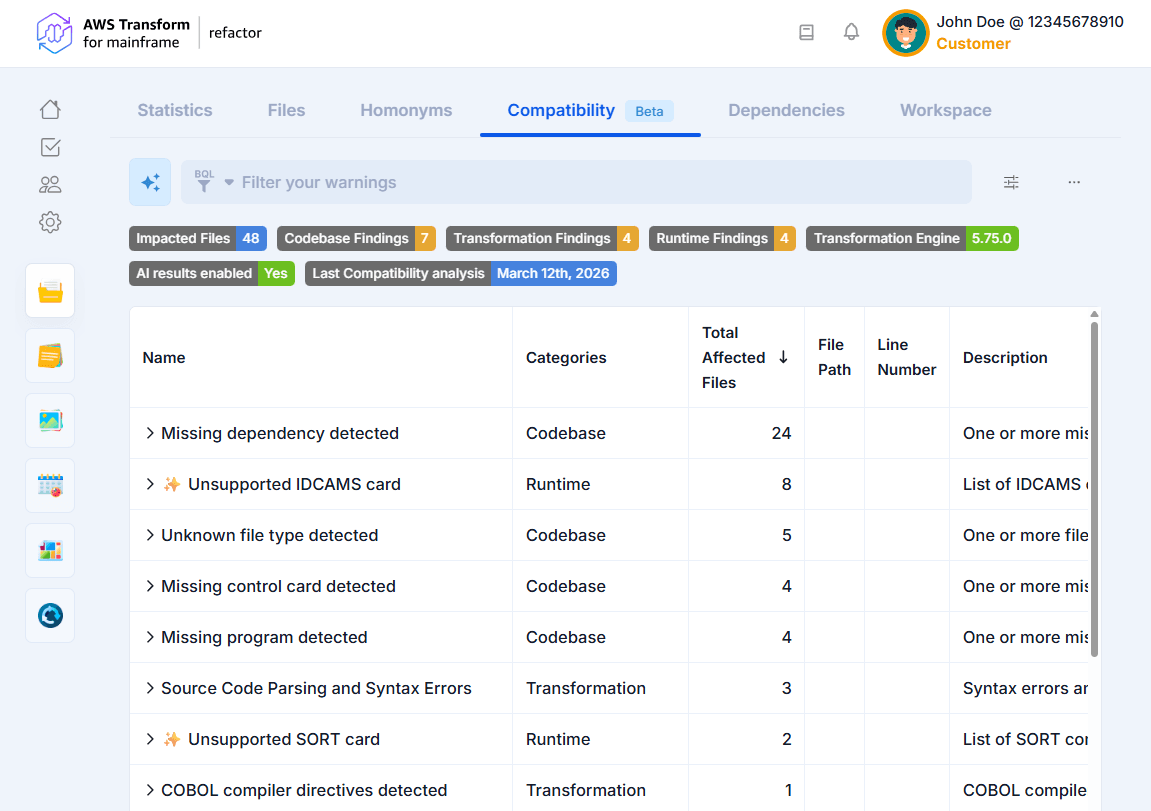
The top of the page displays badges that summarize the most recent compatibility analysis, including the total number of impacted files and the Transformation Engine version used.
Results are grouped by finding type and sorted by number of occurrences. You can expand each finding to view the file paths affected, and use the filter and sort options to focus on specific findings or files.
To inspect a specific file, choose an affected file path to open it in the editor, with the exact error lines highlighted.
From the More (...) menu, you can download the findings as an Excel report or relaunch a compatibility analysis.
Detected findings
Our analyzers currently support the detection of the following compatibility findings grouped by category. Runtime findings are primarily focused on z/OS applications.
- Codebase findings - Problems in your source files that should be addressed before transformation:
- Missing LISTCAT or CSD files
- Unsupported charsets or links
- Missing dependencies, programs, control cards, database objects, or COBOL copybooks
- Missing CICS data set definitions
- Unresolved include files, copybooks, field and variable references
- Source code parsing and syntax errors
- Transformation findings - Compatibility findings that will cause transformation errors:
- Unsupported languages or system utility calls
- PL/I macro declarations, procedures, invocations, and control structures
- COBOL compiler directives
- DSL generation errors
- Preprocessor failures
- General transformation errors and warnings
- Runtime findings - Potential problems that may occur when running the modernized application:
- Unsupported control cards (SORT, IDCAMS, IEBGENER)
- Control cards that cannot be analyzed
Identifying files with compatibility findings
A red dot indicator (○) appears throughout the application to help you quickly identify items that require attention. This indicator is visible in the following tabs grouped by module and project type:
- Codebase
- Assets
- Files
- Statistics
- Management
- Workpackages
- Test Scenarios
- Assets
- Transformation Center
- Inputs
Transformation center integration
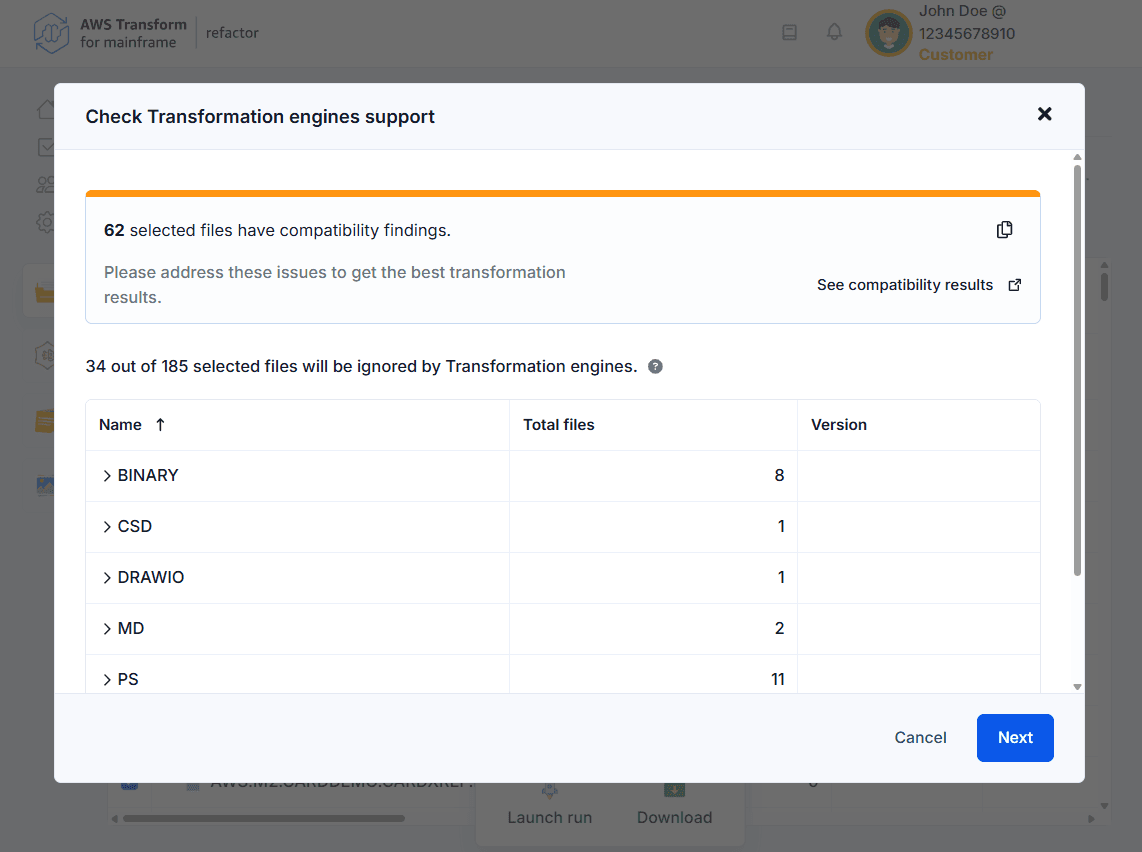
If you have Transformation Center projects associated to your codebase project, you will be notified of files with compatibility findings before launching a Transformation run. A warning banner displays the number of selected files that have compatibility findings. You can:
- Choose the copy button next to the warning to copy the affected file names to your clipboard.
- Choose "See compatibility results" to navigate directly to the Compatibility tab and review the detailed findings.