
How to WinSCP to a linux2023 EC2?
Motivation
We would like to be able to connect from a Windows EC2 to a linux2023 EC2 using WinSCP for efs-test-cases purpose. So developers can put their input and expected files to the EFS for Jenkins jobs.
Create the keys
We are going to create a key to make the connection between the 2 EC2s:
- On the windows EC2, open CMD
- Type
ssh-keygen -t ed25519and type enter until the end Copy the content of the public key findable in
C:\Users\Administrator\.ssh\id_ed25519.puband paste it to the linux EC2, namedec2-<AWS_REGION>a-efs-test-cases,in the/home/ec2-user/.ssh/authorized_keysfileMake a connection
- Open WinSCP on the windows EC2
- Fill in the fields as follows: hostname: efs-test-cases.bluage.local User: ec2-user
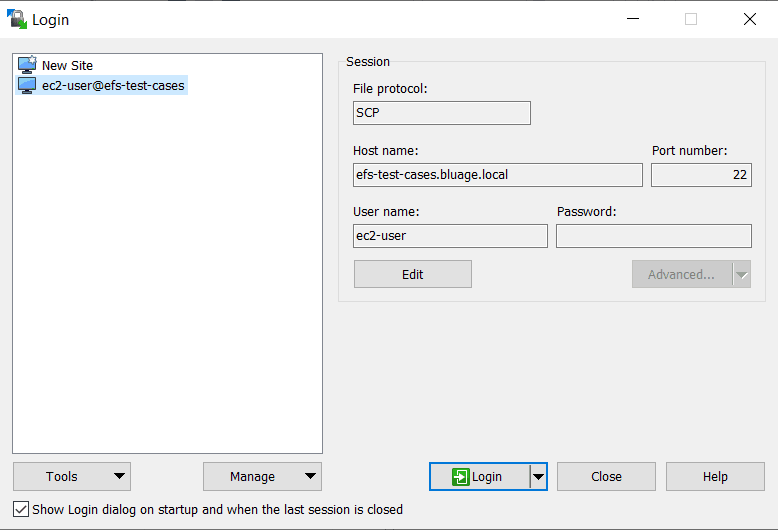
- In Advanced > SSH > Authentication > private key file, click on
..., select the private key (C:\Users\Administrator\.ssh\id_ed25519) and accept the conversion to.ppk
Note: Notice this time we use the private key
- Click on Login